
CompTIA Exam Registration Process Explained (Step-by-Step for First-Time Candidates)
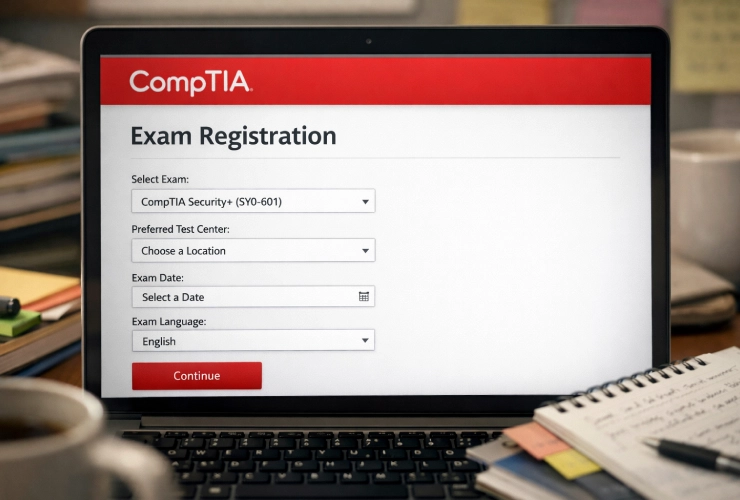
Many first-time CompTIA candidates know the importance of these exams, and they have even figured out which one they need to take. What they get confused about is how to book the exam itself. The whole process seems confusing to them.
The process is actually quite simple, but they are looking in the wrong place. candidates don’t register directly with the CompTIA official website. They need to register with Pearson VUE. Before you begin the registration process, you should know the possible fees, including vouchers and the cost of possible retakes. This guide on the CompTIA exam costs explained can help you plan your budget. Here we will explain the whole process of CompTIA exam registration simply for first-time candidates.
Step 1 – Create Your CompTIA Account (CertMaster)
To proceed with “how to book CompTIA exam” appointments, you must first set up your CompTIA account. Your Pearson VUE account, which is only used for exam scheduling, is not the same as this account. After passing, your digital badges, exam history, and certifications are kept in your CompTIA account.
Here’s what you need to know:
- Why you need it: You can monitor your certifications, view your exam results, download your certificates, and get your digital badge using this account. Additionally, it’s crucial for handling continuing education credits and renewals.
- What to prepare: Make sure you have a trustworthy email address you’ll use for a long time and a legitimate government-issued ID (your name must match exactly)
- The link: Go to the official CompTIA login and registration page here: https://www.comptia.org/login
If you’re not sure which certification to pursue, it’s a good idea to start with the foundations. This explanation of “What is CompTIA A+ certification” describes the most common entry-level alternative.
Step 2 – Choose Your Exam and Purchase a Voucher
The next step is to choose the precise exam you want to take and buy your voucher once your CompTIA account is prepared. This step is crucial because, before using Pearson VUE to schedule anything, you must have the accurate exam details.
Here’s what to focus on:
- Exam Code: When purchasing your voucher, you must select the appropriate code for each CompTIA exam. For instance, the 220-1101 (Core 1) and 220-1102 (Core 2) tests are part of the CompTIA A+ certification. To prevent buying the incorrect exam, double-check the code.
- Voucher vs. Direct Payment: Many candidates purchase a voucher in advance rather than paying for the exam at the time of scheduling. Vouchers are frequently available from reputable academic partners like Professor Messer or the official CompTIA Store. Vouchers are frequently discounted, saving you money when compared to paying the full price at the register.
- Bundles: Extras like study guides or even a free retake are included in some voucher bundles. If you want a safety net in case you don’t pass on your first try, these packages can be an excellent investment.
This advice on the “best career path after CompTIA” might assist you in making the best decision if you’re still not sure which certification best suits your objectives.
You can use Pearson VUE to arrange your exam after obtaining your voucher.
Step 3 – Schedule Your Exam on Pearson VUE
The most crucial step is to actually schedule your exam. Since all CompTIA examinations are scheduled via Pearson VUE’s platform rather than directly on CompTIA’s website, this is where the “Pearson VUE CompTIA steps” come into play.
Follow these steps carefully:
- Create Pearson VUE Account: Go to https://home.pearsonvue.com/comptia, the official CompTIA booking page, and log in or register for a new account. To prevent problems on exam day, make sure your personal information exactly matches your official ID.
- Enter Voucher Code: You will be asked to input your coupon code during the checkout process. Just insert the alphanumeric code that you bought in Step 2. Your prepaid exam will be applied, and if your amount is entirely covered, it will be reduced to zero.
- Choose Test Center or Online: You will have to choose between taking your test online through OnVUE or in person at a testing facility. Many candidates appreciate the regulated, distraction-free environment that test centers offer. Online testing, on the other hand, enables you to take the test from home, which is convenient but comes with stringent requirements (a silent room, webcam monitoring, and system inspections). If you would rather take the test in person, you can use this list of “Pearson VUE centers accepting CompTIA exams” to see which locations are available.
- Pick Date/Time: Select a time and date that will allow you ample time to prepare. In order to review important subjects and feel completely prepared, it is usually advised to make bookings at least two weeks in advance.
Step 4 – What Happens After You Book?
Following your exam scheduling, Pearson VUE will send you a confirmation email with all the necessary details, such as your exam date, time, location (or online instructions), and any prerequisites for test day. To make sure that there are no surprises on the day of the exam, read all the details carefully.
CompTIA permits you to reschedule or cancel your exam if your plans change, but there are restrictions. Changes must usually be made at least 24 hours before your appointment. It’s crucial to make plans in advance because missing this window could result in losing your voucher or having to pay a rescheduling fee.
As the exam date draws near, you’ll also get reminders and instructions on how to check in, which is crucial if you’re taking the test online.
Now that your exam has been scheduled, you should concentrate on getting ready. You may maximize your remaining study time and arrive prepared if you follow these tips on how to pass CompTIA A+ on the first try.
Conclusion
Now that you understand the whole registration process step-by-step, you can schedule your CompTIA exam easily. To avoid any panic on the test day, make sure you print the confirmation details after you get the email. Prepare for the test confidently, follow the rules, and enter the test day with confidence. We wish you good luck with your test.
